


From controller to CDJs: what really changes?
You can already mix on your controller. You know your tracks, can prepare a transition, use your headphones and work with EQ.
Then you stand in front of two CDJs and a separate mixer.
No laptop directly in front of you. Two screens. A USB drive. Controls in different places.
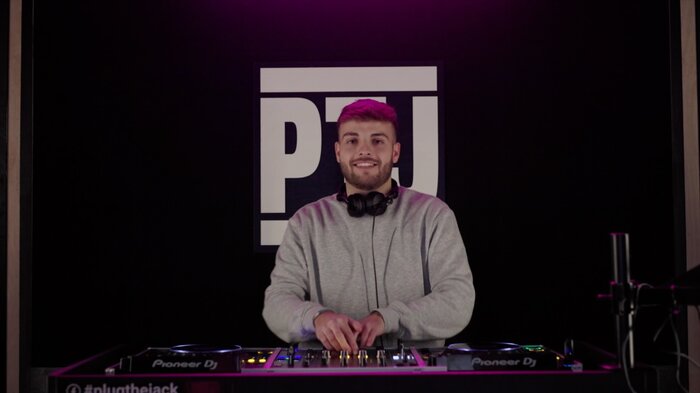
Suddenly, it can feel as if you have to learn everything again.
That feeling is common. In reality, moving from a controller to CDJs mostly changes your workflow and physical reference points. The fundamentals of mixing stay the same.
BPM, beatmatching, phrasing, Cue, gain, EQ and track selection: if you already understand those ideas, you are not starting from zero. If you want to review them first, read the fundamentals you actually need to learn to DJ.
What does not change when you move to CDJs?
On a controller and on CDJs, you still need to choose the next track, prepare it in your headphones, adjust tempo, align beats when necessary, choose the right moment, manage levels, use EQ and bring one track in while the other leaves.
CDJs do not introduce a new way of mixing.
They present functions you already know in a different format.
Professional gear can look intimidating before you use it. After a few minutes, the question usually becomes much simpler: where are the functions I already use on my controller?
The biggest difference: your laptop is no longer at the centre
With many controllers, a lot of your attention goes to the computer.
Rekordbox, Serato or another application may show your library, playlists, waveforms, BPM, keys and Cue points on one large screen.
On a traditional CDJ setup, you can arrive with simply a prepared USB drive.
Each player handles its track while the DJM mixer brings the tracks together.
You no longer necessarily have one large central display. You move more between your music, the player and the mixer.
The logic quickly becomes clear: one player = one track; the mixer = where the tracks meet.
Preparing your USB drive matters more
With a laptop, your entire library is easily available.
On CDJs, preparation becomes more important.
In Rekordbox you can prepare playlists, BPM and beatgrids, Cue and Hot Cue points, keys and track information, then export them to USB.
For a first session, keep it simple: a few clear playlists and tracks you already know well.
For the exact workflow, see our Rekordbox & CDJ Help.
Navigation changes more than the actual mixing
On a laptop you have a large screen, keyboard and a broad view of your library. On CDJs, you navigate directly on the player.
The logic is not difficult, but it takes a little practice.
A DJ who knows forty tracks well and knows exactly where they are will often feel more comfortable than someone with four thousand tracks who cannot quickly find the next one.
Moving to CDJs is a useful reminder that knowing and organising your music is part of DJing.
Waveforms should not be your only reference
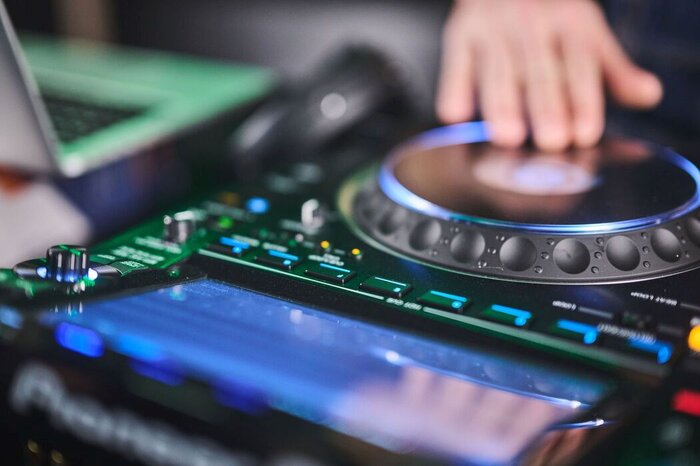
Some controller software places two waveforms directly above one another, making it easy to see whether beats are aligned and what is coming next.
Modern CDJs provide a lot of visual information, but you will not find exactly the same display on every club setup.
If you can hear whether kicks are aligned, which track is running ahead or behind, when a new phrase begins and when a break is approaching, you become much less dependent on the screen.
You do not need to reject waveforms. Just do not make them your only way of understanding what is happening.
Find the essential controls first
A CDJ + DJM setup can look like a cockpit.
But you do not need every function during your first session.
First find what you already know: Play/Pause, Cue, tempo fader, jog, headphone cueing, gain, LOW/MID/HIGH EQ and channel faders.
If you understand those controls on your controller, you already know enough to mix.
Hot Cues, loops, Beat Jump, effects and more advanced features can come later.
Sync does not disappear on professional gear
Moving to CDJs does not mean abandoning all digital tools.
Modern professional setups also support synchronisation.
If you use Sync on your controller, you can keep using it.
What matters is still hearing what the technology is doing. A beatgrid can be wrong. If you hear the tracks drifting, you can correct them.
Keep your first session simple
Do not turn your first hour on CDJs into an exam.
Choose around ten tracks you know very well.
Your first goal can simply be to select your USB, find a playlist, load a track, use Cue and headphones, adjust tempo, use the jog, make a simple transition, use EQ and faders, then prepare the next track.
Then do it again.
The goal is not to impress anyone. The goal is to make the equipment feel normal.
If you want to practise that workflow on a club setup, our DJ studios are equipped with CDJ-3000s and DJM-A9 or DJM-V10 mixers.

CDJs are also a good reason to look at the screen less
Controllers can encourage a very visual workflow.
Use the switch to CDJs as an opportunity to check that you can also work with your ears.
Do not always wait for a waveform to tell you something is changing. Listen. Feel a phrase ending. Hear whether the kicks remain together.
Gear changes. Your ears are the one tool that stays useful everywhere.
Before your first gig, practise the workflow
If you are about to play on CDJs in front of a crowd for the first time, do not test only one transition.
Simulate part of your set. Find tracks quickly, check playlists and Cue points, load the next track, correct a small drift and make sure your USB behaves as expected.
You may already have the mixing technique. What you are building now is confidence in the new workflow.
To prepare the selection and energy of the set as well, read How do you build a DJ set?.
Do you need to buy CDJs to learn how to use them?
No.
Professional players are a major investment and you do not need to own them to learn DJing.
A controller is perfectly suitable for track selection, beatmatching, phrasing, EQ, transitions and set building.
What you specifically need to practise on CDJs is mainly navigation, control layout and workflow.
If you are still deciding between a controller, XDJ or CDJs, read What equipment do you need to learn to DJ?.
Moving from a controller to CDJs is not starting again
Your controller has already taught you the essentials.
If you can choose music, cue in headphones, align tracks, understand their structure, use EQ and build a transition, you already know how to mix.
CDJs mainly change how you browse your library, the role of the computer, where information appears and a few physical habits.
They may push you to prepare your music better and become a little more independent in your references.
But they do not make the skills you already developed irrelevant.
The simplest way to make the move is therefore: prepare a few tracks and try it.
After a few transitions, CDJs usually stop feeling like “professional gear that is intimidating”.
They become what they really are: two players, a mixer and the same DJ principles you were already using on your controller.
