


Music production: how do you produce a track as a beginner?
Producing a track can look extremely technical when you open music production software for the first time.
Tracks. Plugins. Virtual instruments. Waveforms. EQ, compression, reverb, MIDI…
It can quickly feel as if you need to understand all of it before you can even begin.
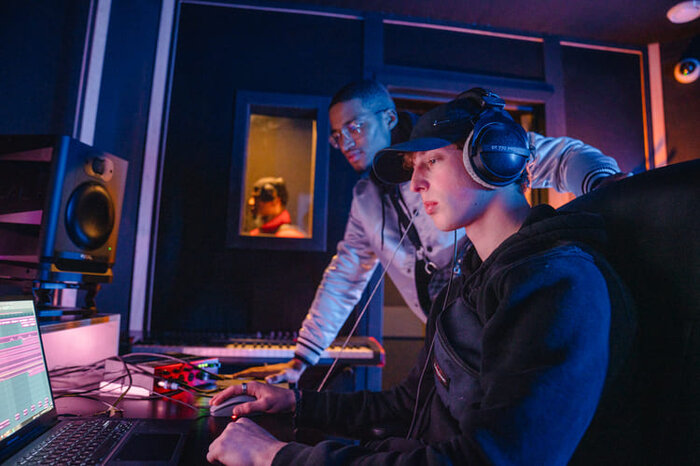
The basic idea is much simpler.
Producing a track means bringing different musical and sonic elements together, organising them and making them work with one another until they form a whole.
A beat or rhythm.
A bass part.
A melody or chords.
A virtual instrument, sample or recorded instrument.
A vocal.
Sometimes only a few of those elements are enough.
Production is then about deciding what plays, when it plays, how loud it is, where it sits in the track and how it should sound.
A track is made of different elements that need to work together
In a DAW — music production software such as Ableton Live, FL Studio, Logic Pro, Pro Tools or Cubase — the different elements of a track are usually spread across several tracks.
Some contain recorded audio.
Others contain MIDI controlling a virtual instrument.
Others use samples or elements programmed directly in the software.
How a sound was created matters less than how all of those tracks eventually work together.
A bass sound can be impressive on its own and take up far too much space once everything else is playing.
A vocal may sound slightly thin in solo and sit perfectly in the full production.
An interesting musical element may turn out to be unnecessary because three other elements already do the same job.
Producing gradually shifts your thinking from:
I like all of these sounds individually.
to:
Does the whole thing work?
Recording and production are different, but they overlap
Recording and producing are not exactly the same thing.
Recording means capturing or creating material that will feed some of your tracks.
You can record a vocal through a microphone, a guitar, another instrument or any other audio source.
But in many modern productions, the track already exists before any audio is recorded.
You might start with a rhythm, some chords, a bass part, a virtual instrument or a sample.
Change the structure. Swap sounds. Create an initial atmosphere. Then record a vocal.
And return to the instrumental because the vocal makes you realise that something needs to be removed, added or moved.
Production is therefore not necessarily a rigid sequence:
compose → record → produce.
It is often much more circular:
create → listen → record → change → listen again → arrange → repeat.
If your immediate goal is to understand how to make your first recording, read our guide How do you record your first song?.
Start simple
A common mistake when discovering music production is wanting to use everything immediately.
More tracks. More plugins. More effects. More possibilities.
But producing more things does not automatically mean producing a better track.
A useful rule when you are starting out is:
if a few simple elements do not already work together, adding more layers probably will not solve the problem.
Make the essentials work first.
A rhythm. A bass part. A few musical elements. Possibly a vocal.
Listen to what is genuinely missing before adding something else.
If you record vocals, the quality of the take matters
A good production also starts with good source material.
In the studio, one of the recurring issues we see with first recordings is that the problem is not the voice or the performance.
It is the recording itself.
The singer is badly positioned in front of the microphone.
They move constantly while singing.
The input level is poorly set.
The room creates too many reflections.
Plosives appear.
Then effects are used to try to repair all of it afterwards.
Spending a few more minutes before recording is almost always the better option.
Do a real level check before you press Record
When you record with a microphone, the signal passes through your audio interface before reaching your DAW.
The input gain helps determine the level at which that signal is recorded.
Set it too high and you risk clipping and recording distortion.
Set it far too low and you will need to raise the track significantly afterwards.
The goal is therefore not to record as loudly as possible.
You want a healthy signal with enough headroom.
For a beginner, the method is simple:
perform the loudest part before the take and check your levels properly.
Sing the way you are actually going to sing.
Do not test quietly if the real take will be much more intense.
The signal should be clearly present without reaching the red during louder passages.
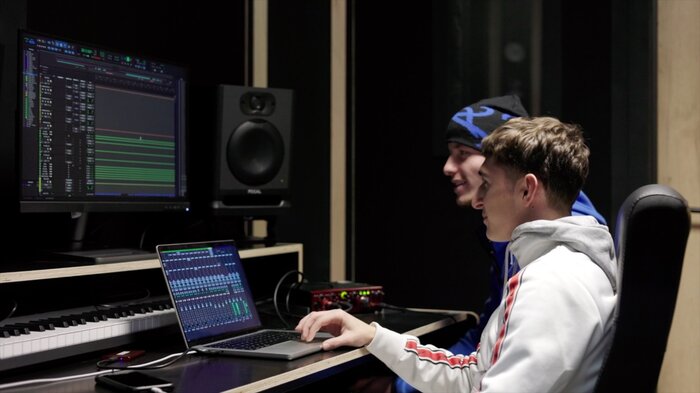
Keep a reasonably consistent position in front of the microphone
The distance between your mouth and the microphone strongly affects the recorded sound.
If you constantly move forwards and backwards, the level and sometimes the tone of the vocal will change during the take.
That makes production more difficult afterwards.
You do not need to stand perfectly still.
But understand that the microphone becomes part of how you sing.
Find a distance that works.
Use a pop filter when needed.
Avoid a position that creates strong plosives.
And try to remain consistent enough throughout the take.
You are recording the room as well
A microphone does not capture only your voice.
It also captures what happens around it: a very reverberant room, reflections from hard walls, noise from outside, ventilation or other sounds in the space.
The more of that enters the recording, the more it becomes part of your source material.
It is generally much easier to add reverb deliberately to a clean vocal than to remove poor room acoustics that have already been recorded.
Do not start with effects
This is one of the most common reactions when someone records vocals for the first time.
The take has just been recorded and the questions immediately begin:
Can we add Auto-Tune? Reverb? Delay? Another effect?
Of course those tools can have a genuine artistic purpose.
The problem is not using them.
The problem is using them before checking whether the source material works.
A badly recorded vocal does not automatically become good because several plugins are added.
Listen to the take first.
Is it clean enough? Is the level consistent? Is the performance good? Does the vocal work with the music?
If not, find out why before reaching for another effect.
Once the tracks are there, listen to what you actually have
Imagine the track is beginning to take shape.
You have several tracks. Perhaps several vocal takes. Perhaps several possible sounds for certain parts.
Do not automatically put plugins on everything.
Listen.
Choose the best takes.
Remove what adds nothing.
Correct what genuinely needs correcting.
Sometimes the best way to improve a track is simply to record another take or choose a better version.
Selection and editing are real parts of production.
You can work track by track, but the song remains the reference
It can be useful to understand each track individually first.
An obvious problem is easier to identify before the sound is buried between ten other elements.
But there is an important limit:
a track does not need to sound perfect on its own. It needs to work in the song.
Return regularly to the full mix.
Alternate between two questions:
Does this track have a problem?
and:
Does this track find its place with the others?

Start the mix with volume
Before opening an EQ or compressor, use the faders.
Raise one track. Lower another. Listen.
What is the priority in the song?
Should the vocal clearly be in front? Is the rhythm taking too much space? Is the bass present enough? Is an element pulling attention for no reason?
You can already change the perception of a track dramatically using volume alone.
Then create space
When several elements play together, they can start getting in each other’s way.
They may occupy similar frequencies, all be very present, all sit in the centre or simply play too much at the same time.
EQ lets you shape frequencies and reduce some masking between elements.
Panning lets you place certain sounds further left or right in the stereo field.
But do not forget the simplest solution:
arrangement.
If two elements are constantly fighting, perhaps they do not need to play at exactly the same moment.
Production is therefore not only about changing how tracks sound.
It is also about deciding when they need to exist.
Use compression because it has a purpose
Compression is a fundamental production tool.
It can help control the dynamics of a signal.
But that does not mean every track automatically needs a compressor.
Ask what you are trying to achieve.
Does a vocal have level changes that are difficult to manage? Does a track feel unstable? Do you deliberately want to change its dynamics?
Then compression may be useful.
If you do not yet know why you are applying a process, it can be better to start without it and listen to the actual problem first.
Musical arrangement matters as much as plugins
A song is not only a collection of well-processed sounds.
It changes over time.
Some elements appear. Others disappear. One section may stay very simple to leave more room for the vocal. Another may become denser. A break can create anticipation. A new element may appear for only a few bars.
That is musical arrangement.
And it can solve many problems that people sometimes try to fix unnecessarily with processing.
If everything plays at the same time for the entire track, the mix constantly has to fight for space.
Sometimes producing simply means removing something.
A simple workflow for producing your first track
1. Build an initial idea.
A rhythm, chords, a melody, a sample, a vocal or any element that gives you direction.
2. Add only what the track needs.
Do not stack tracks simply because you can.
3. Build the arrangement gradually.
Decide what plays and when.
4. If you record audio, take the time to do it properly.
Position, acoustics and input level matter.
5. Select and clean up your source material.
Keep the best takes and remove what is not useful.
6. Start by balancing volumes.
7. Give the elements their place.
Arrangement, panning, EQ and, when needed, compression.
8. Add effects for a reason.
Not simply because they are available.
9. Keep listening to the whole track.
Producing means learning to make better decisions
When you start, music production can seem mainly about tools.
Which plugin? Which EQ? Which compressor? Which virtual instrument?
That knowledge becomes useful.
But producing is first of all about making decisions.
Does this track add something? Is this take good enough? Should this element be louder? Does the vocal sit properly? Do I really need this effect? Does the song improve when I add this track… or when I remove it?
The more you produce, the more natural those decisions become.
So if you want to learn music production, you do not need to master an entire studio before you begin.
Start with a few elements.
Make them work together.
Only add complexity when the track actually needs it.
Because ultimately, producing a track means starting with separate elements and gradually giving each one a place until they become a whole.
